
Robux Deposits
Deposit jewels using Robux on BloxSpin.
Robux deposits convert Roblox Robux into jewels on your BloxSpin balance. You must link your Roblox account first.
Before you deposit
- Sign in to BloxSpin.
- Complete Roblox account linking in Profile settings.
- Confirm you have enough Robux on the linked Roblox account.
How to deposit
- Open Deposit in the cashier.
- Select the Roblox / Steam tab.
- Choose R-Bux.
- Enter the amount you want to deposit (within shown limits).
- Follow the on-screen steps to confirm the Robux transfer from your linked account.
- Jewels appear in your balance after the deposit completes.
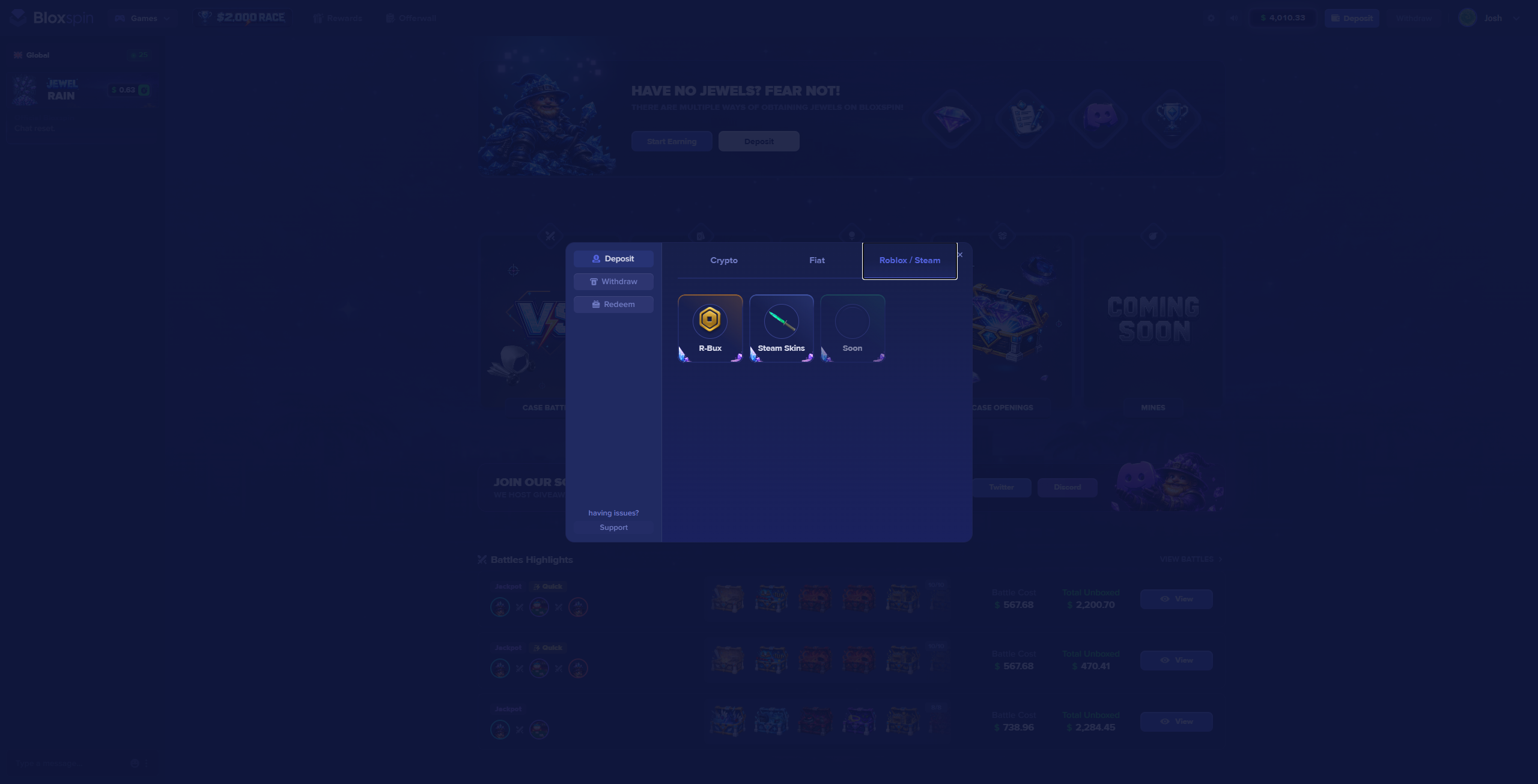
This guide covers Robux (R-Bux) deposits only. BloxSpin does not support skin-based deposits or withdrawals.
BloxSpin is not affiliated with, endorsed by, or associated with Roblox Corporation.
After depositing
Robux deposits are subject to the 1x wager requirement before withdrawal.
Troubleshooting
- Robux option missing — confirm Roblox linking succeeded on your profile.
- Deposit failed — re-link Roblox or contact support with your username and approximate time of the attempt.