
Link Roblox Account
Connect your Roblox account to BloxSpin for Robux deposits and withdrawals.
Linking your Roblox account unlocks Robux deposit and withdrawal methods on BloxSpin. You can only link one Roblox account at a time.
Before you start
- Sign in to your BloxSpin account.
- Have your Roblox account credentials ready.
- Use the official BloxSpin site at bloxspin.com.
Steps
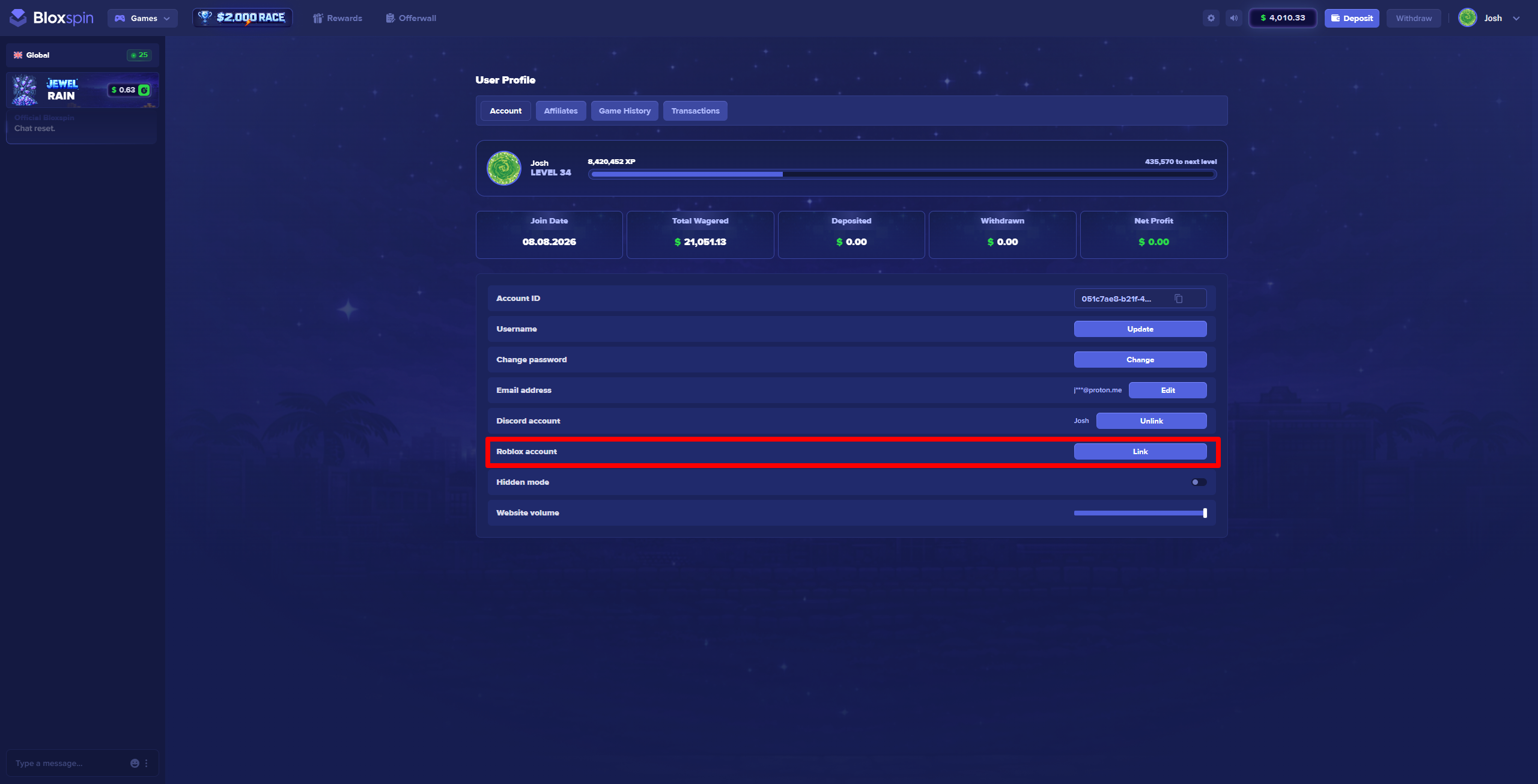
- Open your Profile settings.
- Find the Link Roblox account section.
- Click Link Account and follow the on-screen prompt.
- Complete Roblox verification using your Roblox cookie as shown in the profile flow.
- When linking succeeds, your Roblox avatar and username appear on your profile and Robux payment methods become available in the cashier.
Troubleshooting
If linking fails or you see an error after clicking Link Account:
- Confirm you are logged into the correct Roblox account in your browser.
- Disable extensions that block cookies or pop-ups, then try again.
- Contact support with your BloxSpin username and a screenshot of the error.
BloxSpin is not affiliated with, endorsed by, or associated with Roblox Corporation.